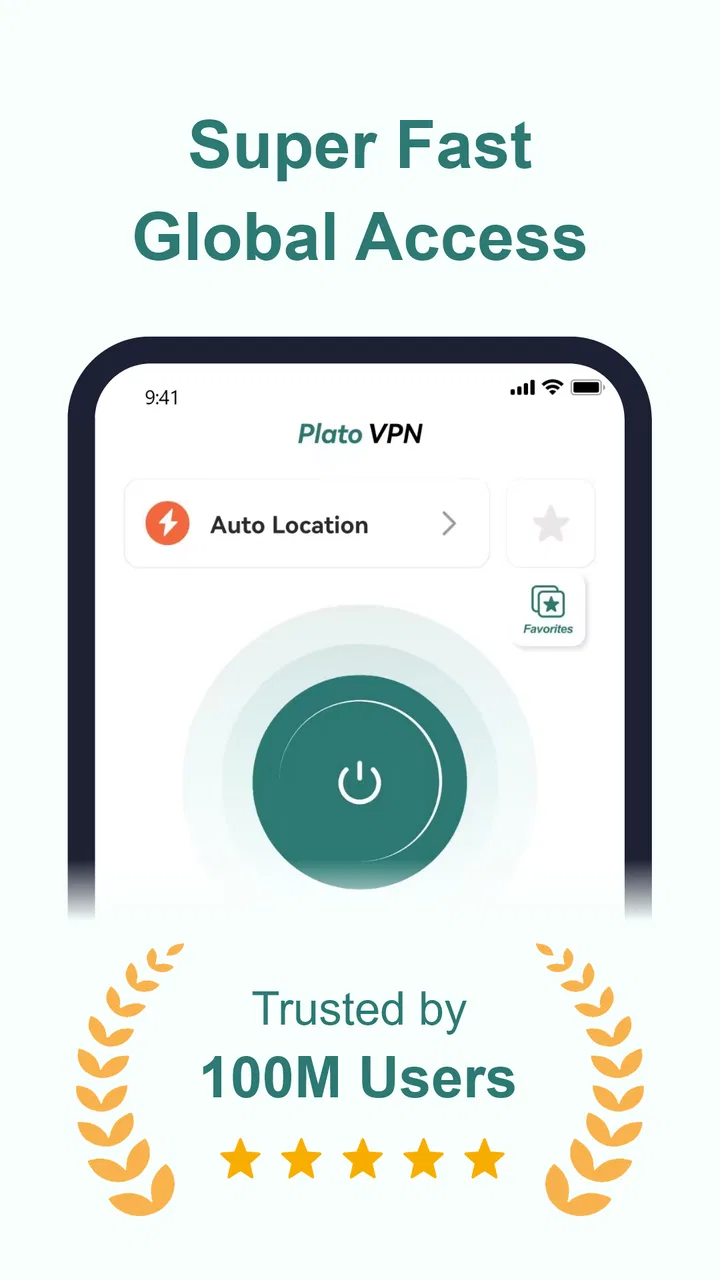
PlatoVPN: Super VPN Fast Proxy
- 4.5
- Rating
- 5.00M
- Installs
- Free
- Price

 Analysis by App-foxy
I installed PlatoVPN: Super VPN Fast Proxy to see how it fits into an ordinary day when I need a little more privacy on a phone, not a complicated networking project. The app sits in the productivity category, but its job is really about creating a more controlled route to the internet. That makes it useful for situations such as checking accounts on public Wi-Fi, opening a page that is unavailable on a particular network, or browsing without exposing the same direct connection details to every website.
My first impression was that it aims for a low-effort experience. The developer, Plato Master: Super Fast Global Network, presents it as a free app, and the store summary focuses on privacy, security, anonymity, and access to blocked websites. Those promises sound broad, so I approached it less as a magic shield and more as a practical switch: turn it on when I need a VPN connection, use the phone normally, then turn it off when I am finished.
That distinction matters. A VPN can change how traffic reaches the internet, but it does not make every online activity automatically private or safe. I would not use this app as an excuse to ignore suspicious links, weak passwords, unsafe downloads, or account security. Its value is in the connection layer, and the best experience comes from knowing exactly when that layer helps and when another tool is needed.
You May Also Like

 Blood Strike: 2.5 Anniversary
Blood Strike’s Loadouts Turn Every Drop Into a Tactical Gamble
A close look at Blood Strike’s custom loadouts: how fast access to signature weapons reshapes its battle royale rhythm, rewards preparation, and narrows the gap between fights.

 Pandora - Music & Podcasts
Pandora’s Music Is Easy to Start, but Harder to Recover
Pandora’s strength is its low-effort path from a seed to a station. Its weak spot is how much confidence it asks you to place in connection, setup, and quiet recovery.

 8 Ball Pool
 Is Built on Rivalries, Rematches, and Routine
A close look at the rivalries, rematches, shared routines, and unanswered safety questions that turn a quick pool match into a persistent mobile community.

 Samsung Music
’s Quiet Strength Is Playing What You Already Own
Its reach comes less from spectacle than from dependable access to a personal library. That simplicity is both the app’s strongest retention engine and its ceiling.

 AccuWeather: Weather Radar
AccuWeather Review: A Quick, Clear Forecast for Everyday Decisions
For everyday plans, the best forecast is the one you can understand quickly. AccuWeather makes rain timing, radar, and local conditions easy to act on, with a few trade-offs.

 Hill Climb Racing
Why Hill Climb Racing Still Turns Crashes Into One More Run
A tiny car, a bumpy hill and one more upgrade: Hill Climb Racing keeps resurfacing because its simple chaos makes every near-miss feel personal.
More From Our News Desk



From an exposed connection to a more controlled browsing session
I find it helpful to begin with the connection I’m actually using, rather than treating every network as equally risky. In a shared household, that means deciding whether this session needs extra privacy before opening a browser or account, then checking whether the VPN changes how that service behaves. That practical choice leads naturally to the next question: how to keep each person’s use and expectations clear.
Starting with the situation that actually needs a VPN
The most sensible starting point is a clear need. Imagine I am working from a café and want to read a work document, check a travel booking, or send a message while connected to shared Wi-Fi. I open PlatoVPN before starting those tasks, rather than waiting until after I have already signed in. That small habit is more useful than leaving a VPN running without thinking about what I am doing.
The same workflow applies when a website behaves differently on a school, office, hotel, or regional network. I first check whether the problem is simply a bad connection or a temporary outage. If the page is being filtered by the network, a VPN may provide another route. If the service itself is down, changing the connection will not solve it. This is one of the first practical trade-offs: the app can alter the path, but it cannot repair every internet problem.
PlatoVPN is free to install and carries an Everyone age rating, so it is approachable for a broad audience. It supports devices running Android 7.0 or later, which covers many older phones as well as newer models. I still recommend checking the phone’s Android version before planning to rely on it, especially if the device has been kept for several years.
The connection flow is simple, but the decision before it matters
Once the app is open, I treat the connection action as the beginning of a short checklist. I make sure the right network is active, decide which app or website I need, and then start the VPN session. After it connects, I return to the task that prompted me to use it. This sounds basic, but it prevents a common mistake: connecting first and then forgetting why the VPN was needed.
A useful habit is to test the exact service immediately after connecting. If I was trying to reach a page, I reload that page. If I was protecting a login on public Wi-Fi, I continue only after the connection appears active. This handoff between the VPN and the browser is where many real-world problems become visible. A VPN can be connected while a particular app still behaves differently because of its own location checks, cached session, or account rules.
I also avoid assuming that a connection indicator means every application has suddenly become anonymous. The app can help route traffic through a VPN connection, but websites can still recognize an account, cookies can still identify a session, and apps can still collect information through their own systems. The practical privacy gain comes from combining the VPN with sensible account and browsing habits.
Moving from the VPN to the app I actually want to use
The most important handoff is from PlatoVPN to another app. In an everyday workflow, I may connect through the VPN, switch to a browser, open a banking site, then move to email or a messaging app. Each change introduces a small question: is the VPN still active, and is the destination behaving normally?
For ordinary browsing, this transition is usually easy to understand. For services that care strongly about location or unusual sign-ins, it can be less predictable. A website may ask for another verification step, show a different language or currency, or refuse access because the connection appears unfamiliar. That is not necessarily a failure of the VPN. It is a reminder that privacy tools and location-sensitive services can work against each other.
When I need a banking or payment service, I prefer stability over experimentation. I connect before opening the service, avoid switching repeatedly between networks, and disconnect afterward if I do not need the VPN anymore. If the bank blocks the session or requests extra verification, I use the bank’s normal connection instead of repeatedly changing routes. In this situation, a dedicated VPN can still be useful, but a free, general-purpose option may not be the best choice for every financial workflow.
What the free model changes in daily use
The free entry point is one of the app’s strongest advantages. I can install it without committing money first, test whether it works with my phone and the networks I use, and decide whether the experience fits my routine. That is especially helpful for occasional users who only need protection during travel, public Wi-Fi sessions, or short browsing tasks.
There are also in-app purchases, priced from $6.99 to $39.99 per item. I would not treat those purchases as an automatic requirement. The sensible approach is to use the free version first, identify whether it handles the specific workflow I care about, and only then consider paying for anything offered inside the app. A purchase should solve a problem I have actually encountered, such as a limitation in the free experience, rather than being based on the assumption that paid always means safer.
This pricing structure also affects who should choose it. Someone who wants a VPN occasionally may appreciate the low barrier to entry. Someone who needs a carefully managed connection for remote work every day should compare it with established paid alternatives that explain their plans, support options, server choices, and privacy practices more fully. PlatoVPN is easier to try than to evaluate as a complete long-term security strategy.
Reaching the result: privacy, access, or simply a safer habit
The outcome I want from a short session is not a dramatic change to the phone. It is a quieter, more controlled connection while I complete a specific task. On public Wi-Fi, that can mean reducing reliance on a direct connection. When a network blocks a legitimate page, it can mean trying another route. When I am traveling, it can mean having a familiar tool ready instead of installing something in a hurry after a problem appears.
For the best result, I disconnect once the task is over unless I have a reason to keep using the VPN. Leaving it active can create unnecessary friction with location-based apps, local services, streaming platforms, or workplace systems. It may also make troubleshooting harder because I no longer know whether a problem comes from the original network or the VPN route. Turning it off after use gives me a clean comparison.
That on-and-off workflow is one of the app’s most useful roles. It is not only about connecting; it is about making the connection intentional. I can use it for a hotel network, finish a document upload, disconnect, and then return to normal browsing. This makes the tool easier to understand than a permanent background service that I never check.
Where the workflow breaks in real life
The first point of friction is that VPN connections can affect speed and responsiveness. Even when browsing remains comfortable, a route through an additional service can change how quickly pages load or how smoothly media works. I would not choose PlatoVPN specifically for high-stakes competitive gaming, large uploads, or any task where the smallest delay matters unless I had tested it on that exact network.
The second break occurs with services that dislike VPN traffic. Streaming platforms, ticketing sites, financial services, and workplace tools may react to a changed network location. A page may load normally one moment and request verification the next. My workaround is straightforward: disconnect, retry through the ordinary connection, and avoid repeatedly switching while an account session is open.
The third issue is trust. A VPN provider sits in an important position because traffic is routed through its service. The store description can explain the intended purpose, but I would still read the app’s current privacy information and permissions before using it for sensitive work. I would also avoid entering highly confidential information simply because the VPN is active. For users who need detailed transparency about logging, jurisdiction, infrastructure, or enterprise controls, a specialist provider may be a better fit.
Another limitation is that the app should not be confused with antivirus protection. It does not make a malicious download harmless, prevent every phishing attack, or replace device updates. I still keep the operating system current, use unique passwords, enable multi-factor authentication where available, and check the address of a site before signing in. The VPN is one layer, not the entire security plan.
Three less obvious ways I would use it
My first practical tip is to use it as a troubleshooting comparison rather than leaving it permanently enabled. If a page fails on a public network, I connect and try again. If it works, I have learned something about the network path. If it still fails, I know the problem may be with the service itself, my account, or the phone. That simple before-and-after check is more informative than repeatedly tapping refresh.
Second, I would prepare the app before travel rather than during a connection emergency. I can install it at home, open it, understand the basic connection flow, and test it on a normal network. Then, when I arrive at a hotel or airport, I am not trying to learn a new privacy tool while also dealing with a captive portal or a time-sensitive booking. The handoff between public Wi-Fi login and VPN connection deserves attention: I first complete any required Wi-Fi sign-in, then start the VPN.
Third, I would keep a short record of which services behave badly with the VPN. This is especially useful if I use the same phone for work, banking, travel, and entertainment. If a particular app repeatedly fails only while the VPN is active, I can stop blaming the phone and choose the appropriate connection for that task. This turns an annoying surprise into a predictable part of the workflow.
A fourth useful trade-off concerns location-sensitive searches. If I am checking local opening hours, nearby transport, or a regional store, a VPN may make the results less relevant. I would use the VPN for privacy-sensitive browsing, then switch it off when I need accurate local recommendations. Privacy and local accuracy are not always aligned, so using the tool selectively is often better than treating it as a universal setting.
How it compares with the usual alternatives
Compared with not using a VPN at all, PlatoVPN offers a clear advantage for users who want a quick, low-commitment way to add a VPN step to public-network browsing. Its free availability makes experimentation easier, and the productivity placement reflects a practical use: protecting the connection while getting something done.
Compared with a browser’s private mode, the difference is important. Private browsing mainly limits what is saved locally in that browser session; it does not perform the same job as routing traffic through a VPN. I would use private mode for local history concerns and PlatoVPN when the network path itself is part of my concern. Neither one makes me invisible to websites or account providers.
Compared with a paid specialist VPN, the choice depends on priorities. A paid service may be preferable for people who need consistent performance, extensive location choices, responsive support, or detailed privacy documentation. PlatoVPN is more suitable for someone who wants to try a free tool, uses a VPN occasionally, and accepts that certain services may require a normal connection.
Compared with a corporate VPN, it serves a different purpose. A company VPN is normally configured to reach internal resources and follow an organization’s access rules. PlatoVPN should not be treated as a replacement for that system. If my employer requires a particular VPN for work, I would use the approved one and avoid assuming that a separate consumer app can provide the same access or compliance.
Who will get the most from it
I think the app is a good match for casual privacy-conscious users, travelers, students, and anyone who regularly connects to networks they do not control. It is also useful for people who want to test whether a VPN fits their habits before choosing a more specialized service. The free starting point lowers the risk of trying it, while the Everyone rating keeps the intended audience broad.
I would be more cautious recommending it to someone who needs a VPN for continuous professional work, sensitive research, regulated data, or dependable access to location-specific services. Those users should investigate the provider’s current policies and compare dedicated alternatives carefully. The fact that an app is easy to connect does not answer every question about long-term trust, performance, or organizational requirements.
My final take after using the complete workflow
PlatoVPN: Super VPN Fast Proxy works best when I treat it as a focused tool rather than a permanent promise of anonymity. I start with a real need, connect before opening the relevant service, check the result, and disconnect when the task is complete. That workflow makes its benefits easier to notice and its limitations easier to manage.
The app has a 4.5 average from around 52 thousand ratings and has passed 5 million installs, which suggests that many Android users have found the basic idea worthwhile. Its current version is 1.4.7, and the free model makes it simple to judge on my own device instead of relying only on descriptions.
My recommendation is therefore conditional but positive: try it if you want an accessible VPN for occasional public Wi-Fi use, privacy-minded browsing, or testing an alternate route to a website. Keep your expectations realistic, watch for services that reject VPN connections, and do not replace good security habits with a single app. For everyday, limited use, it is a convenient starting point; for demanding or highly sensitive work, I would take the time to compare a more specialized option.
FAQs for PlatoVPN: Super VPN Fast Proxy
01What features does PlatoVPN: Super VPN Fast Proxy offer?
PlatoVPN provides a fast and secure VPN service that ensures online privacy and access to restricted content. It offers features like unlimited bandwidth, a no-logs policy, and a user-friendly interface. The app supports multiple servers across various countries, allowing users to bypass geo-restrictions and enjoy a seamless browsing experience.
02Is PlatoVPN safe to use?
Yes, PlatoVPN is designed with security in mind. It employs robust encryption protocols to protect user data and maintain privacy. The app's no-logs policy ensures that your online activities are not recorded or stored, providing an added layer of confidentiality. However, users should always keep their app updated to benefit from the latest security enhancements.
03How does PlatoVPN affect internet speed?
PlatoVPN is optimized to provide fast connection speeds while maintaining security. Although using a VPN can sometimes result in slower internet due to encryption overhead, PlatoVPN minimizes this impact by offering high-speed servers. Users generally experience smooth browsing, streaming, and downloading activities without significant lag.
04Is PlatoVPN free to use?
PlatoVPN offers both free and paid versions. The free version provides basic VPN services with limited server access, while the paid version unlocks additional features such as more server locations and higher speeds. Users can choose the plan that best suits their needs, with the option to upgrade at any time for enhanced functionality.
05Can I use PlatoVPN on multiple devices?
Yes, PlatoVPN supports multiple device connections, allowing users to protect their data across various platforms. This includes Android and iOS devices, as well as other operating systems. Users can ensure their entire digital ecosystem remains secure and private, whether they are at home or on the go.
Pros
- Fast connection speeds for seamless browsing.
- User-friendly interface for easy navigation.
- Supports multiple devices simultaneously.
- No registration required for quick setup.
- Strong encryption ensures privacy and security.
Cons
- Occasional ads can interrupt usage.
- Limited server locations in free version.
- Connection drops under heavy load.
- Premium features require subscription.
- No 24/7 customer support available.

PlatoVPN: Super VPN Fast Proxy
Gallery